Wait for Time Node
The Wait for Time node pauses a workflow for a specified duration before continuing to the next step. Use it to build timed sequences, schedule follow-ups, or delay actions until the right moment.
Counter Type
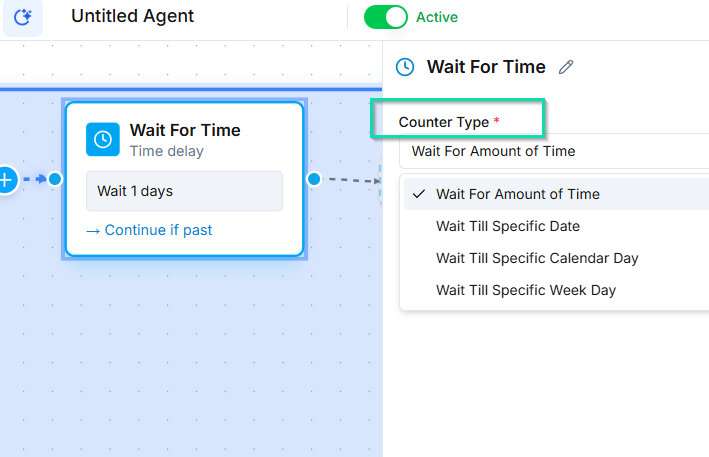
The Wait node supports several timing modes, each suited to different use cases.
Fixed Duration
Pause for an exact amount of time --- 5 minutes, 1 hour, 3 days, or any custom duration. The workflow resumes automatically when the timer expires.
Example: Wait 30 minutes after a missed call before sending a follow-up SMS.
Wait Until a Specific Date
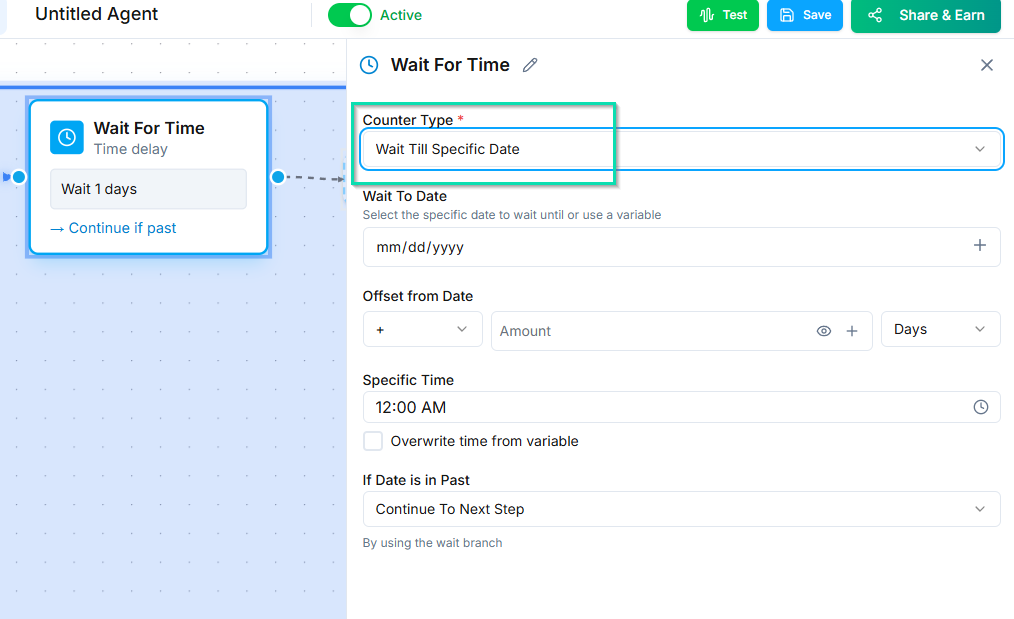
Pause until a specific calendar date. This is useful when you need an action to fire on a known date, such as a birthday greeting or an anniversary follow-up.
The date can come from a contact field variable, so each contact gets a personalized schedule.
Time Offset
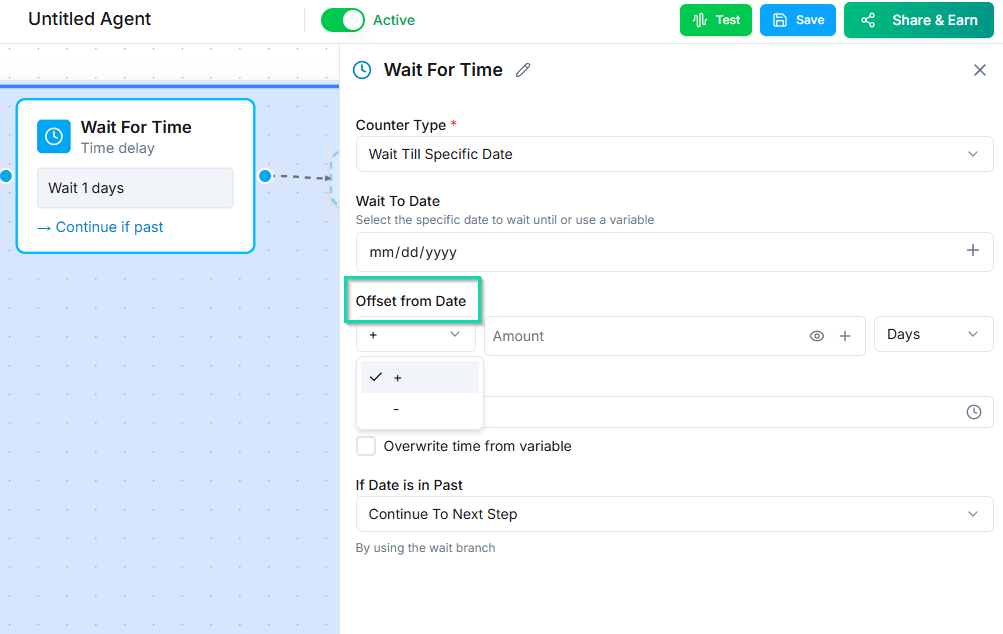
Wait until a calculated time relative to a date field --- for example, 2 days before an appointment or 1 hour after a signup date.
Example: Send a reminder SMS 24 hours before a scheduled appointment by offsetting from the appointment date field.
Building Drip Sequences
Chain multiple Wait nodes together to create timed outreach sequences:
- Day 1 --- Send an introductory SMS immediately.
- Wait 2 days --- Then make a follow-up call.
- Wait 4 days --- Then send a check-in email.
Each Wait node feeds into the next action, spacing out your touchpoints over time.
Tips
- Contacts remain "in" the workflow while waiting. They will not be affected by other instances of the same workflow during this time.
- Combine Wait nodes with conditional logic to exit early if the contact responds before the timer expires.
- For outbound campaigns, use drip timing to avoid calling your entire list at once.
Next Steps
- Outbound Call Node --- make calls on a timed schedule
- SMS Node --- send text messages as part of a drip sequence