Hang Up Node
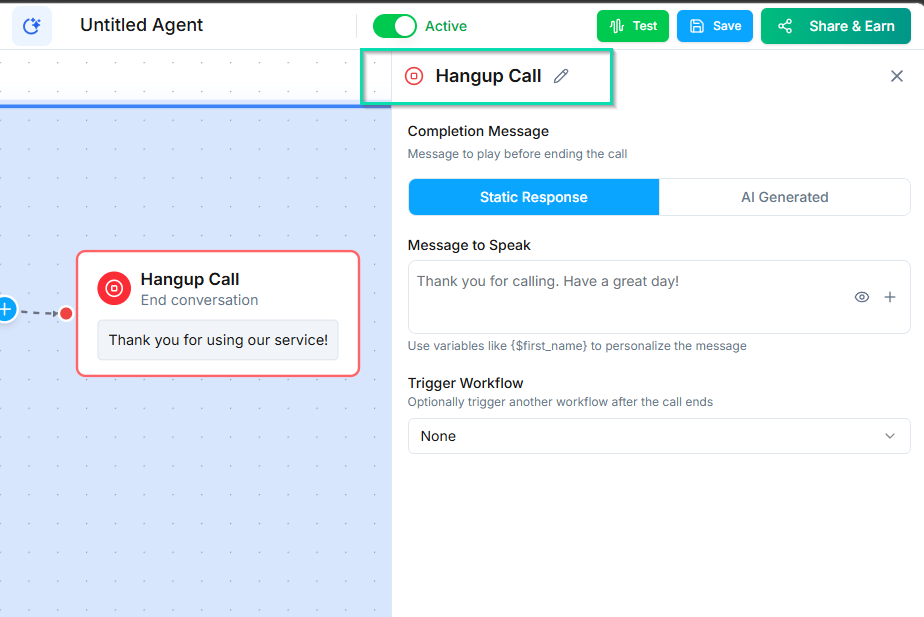
The Hang Up Node ends the current phone call. Place it at the end of a conversation flow or at any point where the agent should disconnect.
Video Walkthrough
How It Works
When the workflow reaches this node, the call is terminated. It is that simple.
Goodbye Message
You can configure an optional goodbye message that the agent speaks before hanging up. This keeps the experience polite and professional:
- "Thank you for calling. Have a great day!"
- "We have everything we need. You will receive a confirmation email shortly. Goodbye!"
- "Thanks for your time. We will be in touch."
If no goodbye message is set, the call ends immediately when the node is reached.
When to Use It
Place a Hang Up Node at the end of any call flow where the conversation is complete:
- After the agent finishes collecting information.
- After a successful booking or transaction.
- When the caller's issue is resolved.
- When the caller opts out or asks to end the call.
- As a fallback when the workflow has exhausted all other paths.
You can have multiple Hang Up Nodes in a single workflow - one for each possible endpoint.
Next Steps
- Conversation Node - build the dialogue that leads to the call ending